Sign In
Login
Get Started
Join
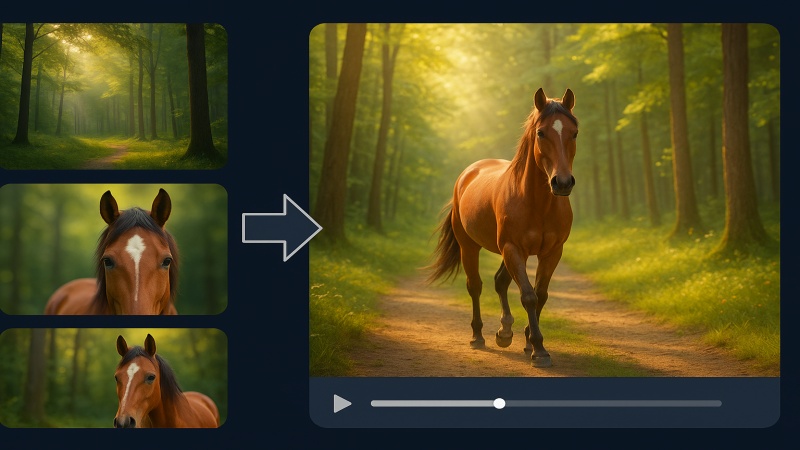
Pixverse Transition
Prompt
*
Describe the style or mood of the transition between the two images. The model will use this to guide how the first image transforms into the second one. For example, you can ask for a cinematic, dreamy, or realistic transition.
From Image
*
Upload the image you want to start the transition from. The model will use this as the starting point of the transformation.
Click to upload
To Image
*
Upload the image you want to transform into. The model will smoothly morph the starting image into this one, following your prompt’s description.
Click to upload
Aspect Ratio
Select an aspect ratio to control the shape of your output. Choose square (1:1) for posts, wide (16:9) for videos, or vertical (9:16) for mobile formats like TikTok and Reels. The ratio affects how your image or video is framed. Pick one that fits your platform.
16:9
4:3
1:1
9:16
Advanced Settings
Resolution Of The Transition
The resolution of the generated video
360p
540p
720p
1080p
Style
The style of the generated video
Anime
3D Animation
Clay
Comic
CyberPunk
Please Login to Continue
No results yet
Submit a request using the form to see your latest result here.